
SEO Meta Description Generator
Suggest an SEO friendly meta description based on a phrase or keyword.
Feed it your page topic above and get a click-ready meta description in seconds. You can try it free, before you ever make an account.
Your meta description is the snippet under your post title in Google. Write a good one and people click. Skip it (or write a flat one) and Google auto-generates from your first paragraph, which usually loses the click.
This free AI Meta Description Generator writes 5 SEO-optimized meta descriptions (125-155 characters, the Google sweet spot) from any post title, keyword, or published article URL in seconds. Highlighted below is what a meta description actually looks like in search results:
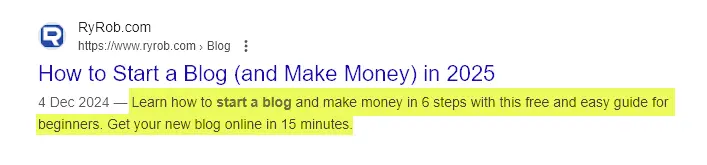
If you don’t write one, Google generates a snippet from your post’s content automatically (and it’ll sometimes do this even when you have a meta description, if it decides the excerpt fits the search better). Writing your own is still the better play: it gives you control over the keyword and the hook, and a higher click-through rate can also lift where you rank.
How to Use the AI Meta Description Generator
Four quick steps:
Step 1. Enter your Post Title, Keyword, or Published Article URL
Drafting a post? The meta description generator can come up with a description based on your title or keyword. Just type it in here.
If you’ve already published the post, enter the URL instead.
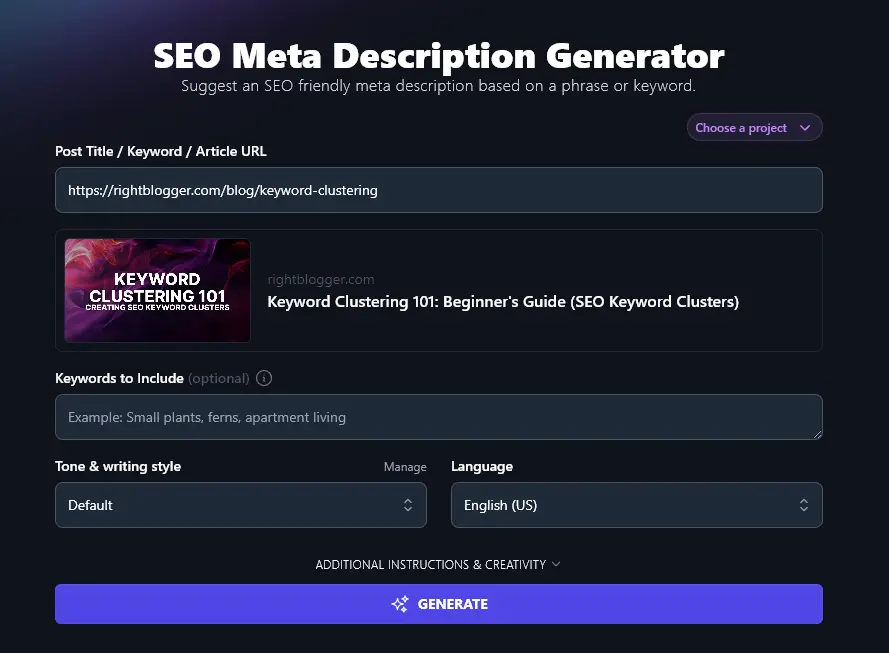
Step 2. Add Keywords to Include
Although you can put your keyword in the first box, the AI can’t necessarily distinguish between a keyword and a title here. To make sure your primary keyword goes in your meta description, add it in the “Keywords to Include” box.
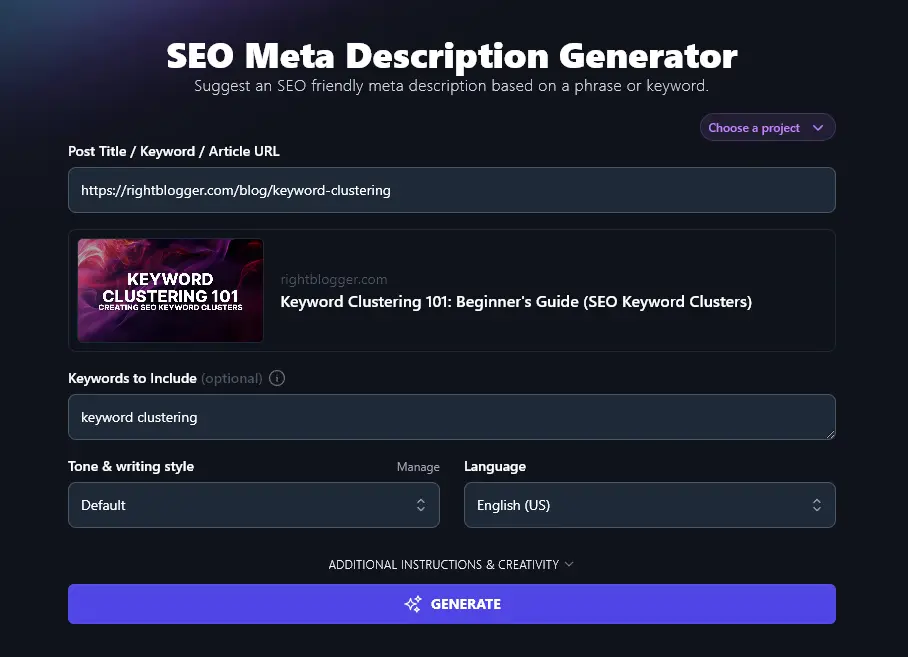
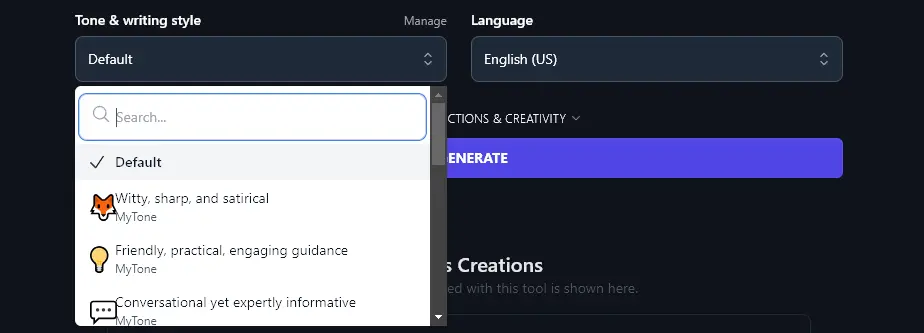
Step 3. Choose Your Tone and Writing Style
You may want to give your meta description a flavor of your usual blogging style. If you’d prefer something different from the default, just pick a style from the dropdown list. There are 16+ pre-set options to choose from.
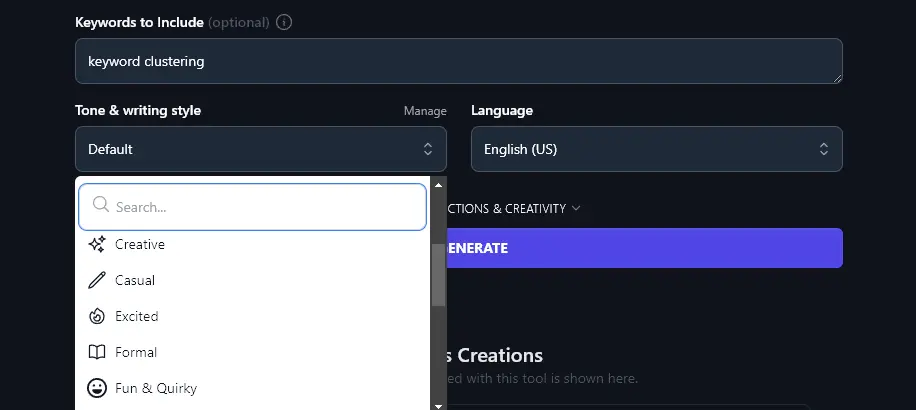
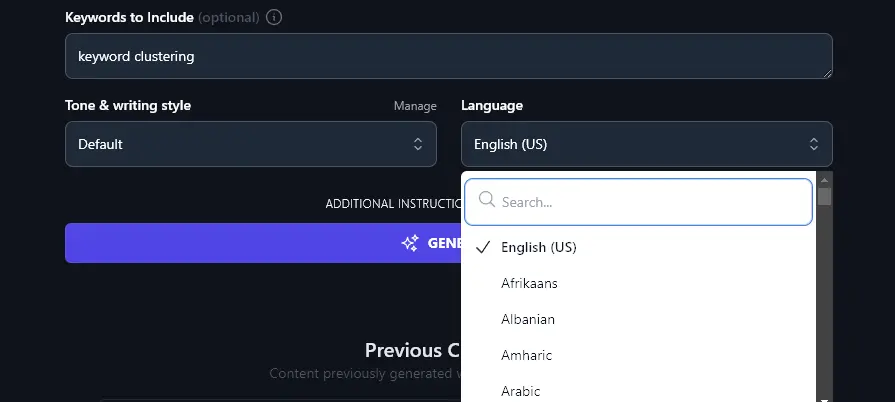
Step 4. Select the Language for Your Meta Description
Creating content in a language other than English, or writing meta descriptions for a multilingual site? You can choose from 100+ different languages using the Language dropdown. That includes different varieties of English (UK, Canada, and Australia).
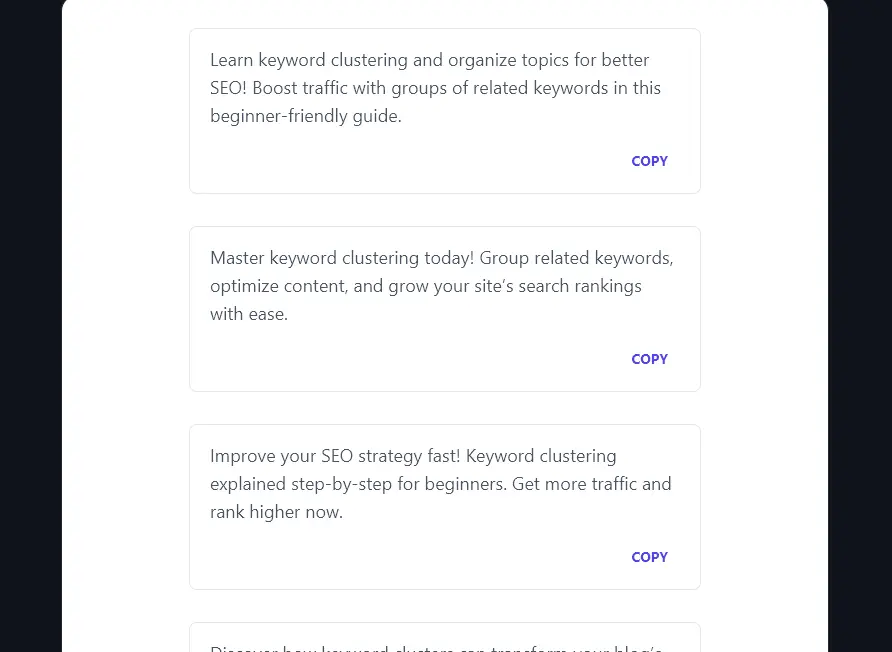
When you’re ready, go ahead and run the tool. The AI will come up with 5 meta description options for you:
Bonus: A Free SEO Checklist
A good meta description is just one way to boost your blog post’s SEO (search engine optimization). This is a quick SEO checklist for going further:
- Use a good WordPress SEO plugin like Yoast SEO or RankMath
- Make sure you’ve chosen an appropriate (and achievable) keyword for your post
- Optimize your subheadings to help Google create rich snippets and index your post faster
- Only use one H1 header (for your post or page title at the top of the page)
- With subheadings, follow proper header hierarchy, with H2 subsections then H3 sub-subsections
- Use your primary keyword in a natural way within the text, don’t go over the top
- Include both internal links (to your site) and external links (to other sites), with at least 3 external links
- Make your meta description keyword-rich and enticing to readers, see our guide on how to write a meta description for the patterns that drive clicks
- Always include alt descriptions for your images, using keywords in these as appropriate
- Usually, make sure your post is 1,500+ words for the best chance of ranking well
- Craft an SEO meta title that’s designed to rank well and get attention
- Use keywords within your blog post’s permalink (URL)
Each Feature, Explained (Plus Advanced Options)
The advanced fields let you steer the AI more precisely:
1. Post Title / Keyword / Article URL (Use This Tool for New and Published Posts)
Ideally, you’ll create a meta description for your blog post before publishing it … but we know many bloggers have old posts in their archives without meta descriptions.
Writing dozens or hundreds of meta descriptions manually would take hours. But with our AI tool, you can pop in the URL to any published post and instantly get 5 great meta descriptions to choose from.
2. Keywords to Include (Make Sure Your Primary Keyword Goes in Your Meta Description)
Get your primary keyword into your meta description. Even if you entered it in the first box, add it again here so the AI guarantees inclusion of the full keyword.
A quick example of the difference it makes. The keyword is in bold in each meta description below.
Descriptions with title “Make Money Blogging: 10 Expert Tips” and no keyword:
- Want to make money blogging? Check out 10 expert tips to grow your blog and boost your income today!
- Discover proven ways to turn your blog into a money-making machine with these 10 actionable tips from experts.
- Learn how to monetize your blog effectively with 10 tips that can help you earn more and grow faster.
- Struggling to make blogging profitable? These 10 expert tips will show you how to start earning real money now.
- Ready to earn from your blog? Follow these 10 smart tips to attract readers and increase your blogging income.
Descriptions with title “Make Money Blogging: 10 Expert Tips” and the keyword “make money blogging”:
- Learn how to make money blogging with 10 expert tips. Turn your passion into profit with these proven strategies.
- Want to make money blogging? Discover 10 actionable tips to start earning and build a profitable blog today.
- Unlock the secrets to making money blogging. Follow these 10 expert tips to grow your income and blog successfully.
- Learn how to make money blogging fast! Use these 10 expert tips to monetize your blog and boost your earnings.
- Get expert advice on how to make money blogging. These 10 tips will help you monetize your niche and maximize profits.
Without the keyword entered, only one description uses it. With the keyword, all five descriptions either use the exact keyword or a very close variation.
3. Tone & Writing Style (Give Your Meta Description More Voice)
Most of RightBlogger’s tools include a “Tone & Writing Style” dropdown, and the meta description too is no exception. While the tone and style make more difference in a longer piece of text, like a full blog post, they can still subtly affect your meta description.
If you have a strong voice for your blog, you may want to reflect that in your meta descriptions. The dropdown gives you 16+ pre-set styles to choose from, like “Casual”, “Fun & quirky”, “Professional” and “Academic”.
On any plan, you can also create custom MyTones, and paid plans save 5 (Solo), 15 (Pro), or 50 (Agency) of them. Just give the AI a sample of your writing (or a sample of an article with a tone & style you like) … and it’ll create a tone based on that. You can then select this custom tone when using any of our tools.
4. Language (Choose from Over 100 Languages)
RightBlogger can craft content in more than 100 different languages. The Language dropdown defaults to English (US) but you can change this to anything you want.
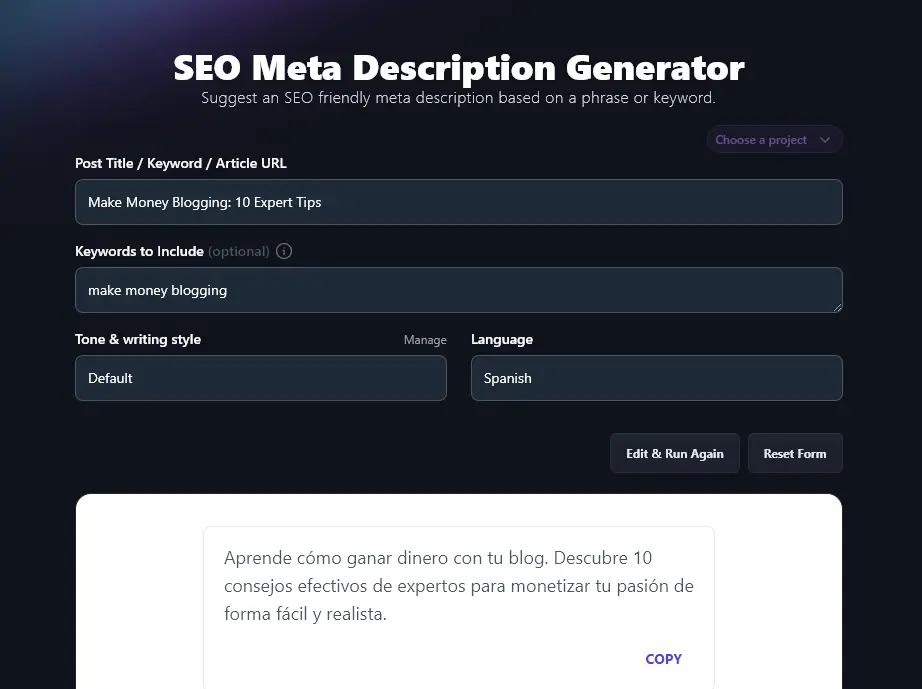
You could even run the meta description generator multiple times to get descriptions in several languages (e.g. for multilingual blog content).
5. Additional Instructions (Add More Details or Constraints for the AI)
The meta description tool has a couple of advanced features that you can open up by clicking the “Additional Instructions & Creativity” link.
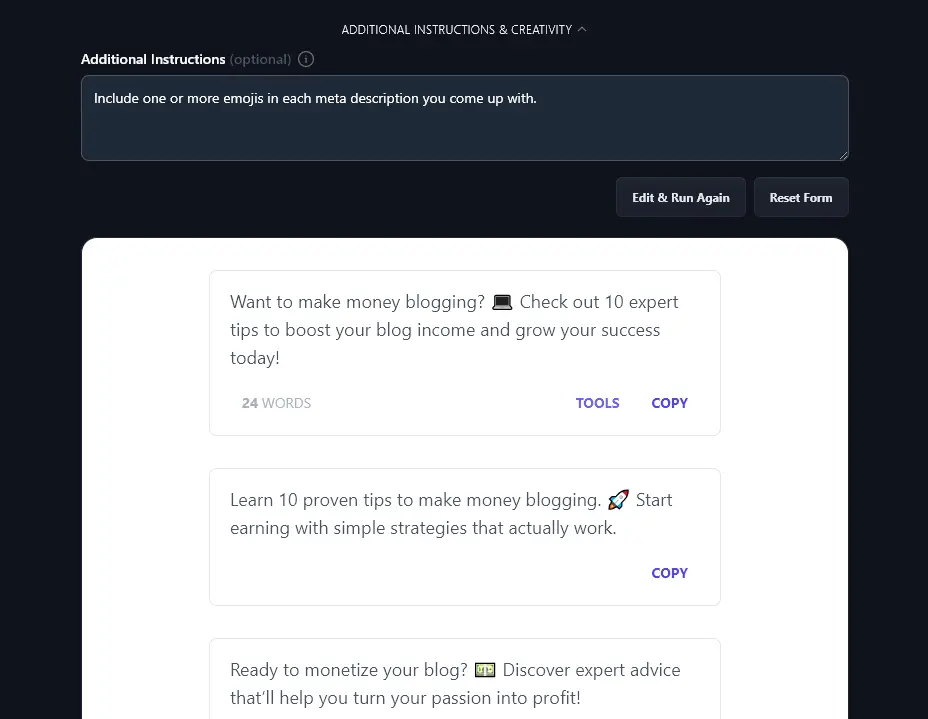
Usually, the AI will come up with a meta description that works fine. But if you want something a little different, just add instructions here. For instance, we asked the AI to “Include one or more emojis in each meta description you come up with.” It did just that:
6. Creativity (Choose How Standard or Unusual to Make Your Meta Descriptions)
By default, the RightBlogger AI balances between being predictable and being unusual. But you can adjust its creativity up or down using the Creativity slider. Less creative means more conventional and obvious word choices. More creative means it’ll reach for more unusual language.
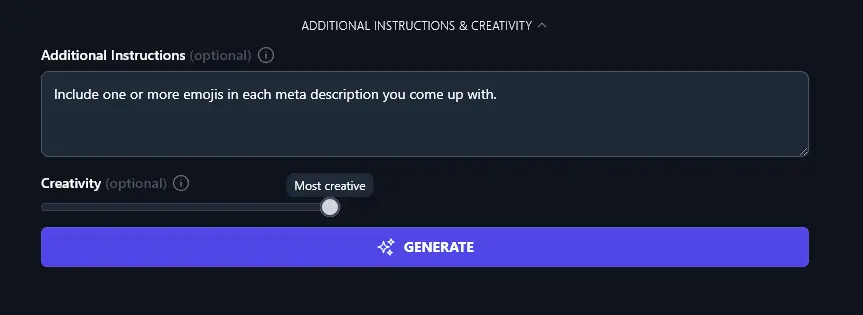
Most people find that the midpoint is just right for their meta descriptions, but feel free to experiment with the Creativity if you want to.
AI Meta Description Generator FAQs
How Do I Write a Good Meta Description? (With Examples)
Your meta description needs to:
- Include your primary keyword and, ideally, your secondary keywords
- Clearly explain what your post is about, encouraging people to read it
- Be between 50 and 160 characters (Google’s recommendation), with 125-155 characters being ideal.
A couple of SEO-friendly meta description examples:
“Learn how to create an SEO content strategy (step-by-step) based on my process that drives 500,000+ monthly readers from SEO.”
Meta description forHow to Create an SEO Content Strategy, RyRob.com (Ryan’s blog)
This meta description uses the target keyword (“SEO content strategy”). It’s engaging, making a clear promise (“learn how”) and giving an impressive number (“500,000+ monthly readers”).
“Looking for stunning fall colors in DC? Here are the best places for fall foliage in Washington DC including day trip ideas outside the city.”
Meta description forBest Places to See Fall Foliage in Washington DC (Photo Guide), I Hit The Button (Andy’s blog)
This meta description uses the target keyword (“fall foliage in Washington”). It engages the reader with a question and uses power words like “stunning” and “best”.
A strong meta description can also help you win Google’s featured snippet position when paired with clear, scannable on-page content, see our guide on how to get a Google featured snippet for the full play.
Is This a Free Meta Description Generator?
Yes! The AI-powered meta description generator is included in every RightBlogger plan, along with all our other 100+ tools. Monthly plans start at Solo $59 (annual billing, charged monthly, is $49) with a 7-day free trial and a 30-day money-back guarantee.
Every paid plan includes unlimited words across all the AI writing tools, so you can create as many meta descriptions and articles as you need.
What is a Meta Description vs a Meta Tag?
Meta tags are bits of HTML code that give search engines extra information about a web page.
A meta description is just one type of meta tag. The other important one for SEO (organic traffic) is the meta title tag, as that’s a key ranking factor. Other tags include “author”, “viewport”, and “refresh”.
What Other AI Tools Can I Use to Improve My SEO Performance?
We’ve got loads of SEO tools built into RightBlogger to help you rank better in Google and other search engines.
You’ll want to try out these:
- Keyword Research Tool: identify relevant keywords that will work for your target audience of searchers
- SEO Keyword Cluster Generator: instant keyword clusters to help your search engine rankings
- Meta Title Generator: craft an SEO-optimized meta title for your post or page
- Paragraph Rewriter: rework text to use on multiple pages of your site, avoiding any duplicate content issues
As well as tools to help with your SEO efforts, we have lots of blogging and digital marketing tools (like our Post Idea Generator), social media tools (like our YouTube Video to Blog Post Converter) and our flagship Article Writer tool (to create high-quality content in minutes).
We also have sales tools (like our Product Description Generator) and copywriting tools (like our Call to Action Generator).
Who is the Meta Description Tool Designed For?
We (Andy and Ryan) created the meta description tool with a range of users in mind, including bloggers, content creators, SEO professionals, content marketers, small businesses, and anyone looking to optimize a webpage’s content.
How Do I Sign Up for RightBlogger and How Much Does it Cost?
You can sign up for RightBlogger to start using our AI-powered tools with a 7-day free trial and a 30-day money-back guarantee. Every paid plan includes unlimited words and full access to all advanced features. Monthly plans are Solo $59, Pro $89, and Agency $299 (annual billing, charged monthly, is $49 / $69 / $199).