Describe your post above and get a batch of Instagram captions to choose from. It is free to try with no sign-up, so generate a few and keep your favorite.
Looking for an AI Instagram Caption Writer to come up with engaging captions for your Instagram posts? This free AI Instagram Caption Generator lets you instantly craft captions for any image or idea, just describe it and the AI will do the rest.
Captivating Instagram captions are a fantastic addition to attention-grabbing images. They help give your post context, offer a sense of your brand and personality, and also let you prompt your audience to do something (like visit your site or even buy from you).
How to Use the Instagram Caption Generator
Ready to generate captions for your next post? Here’s how to brainstorm all the engaging Instagram captions you need, step by step.
Step 1. Enter a Summary of Your Photo or Image
First, describe your photo or image for the caption generator. You can be as brief or detailed as you like.
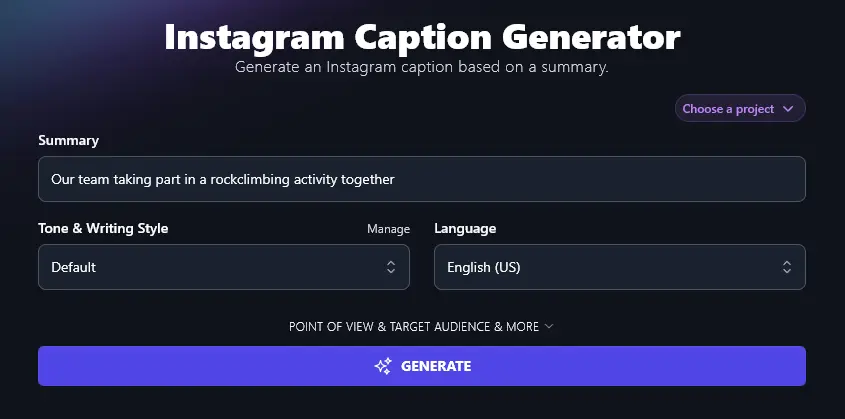
Step 2. Select Your Tone and Writing Style
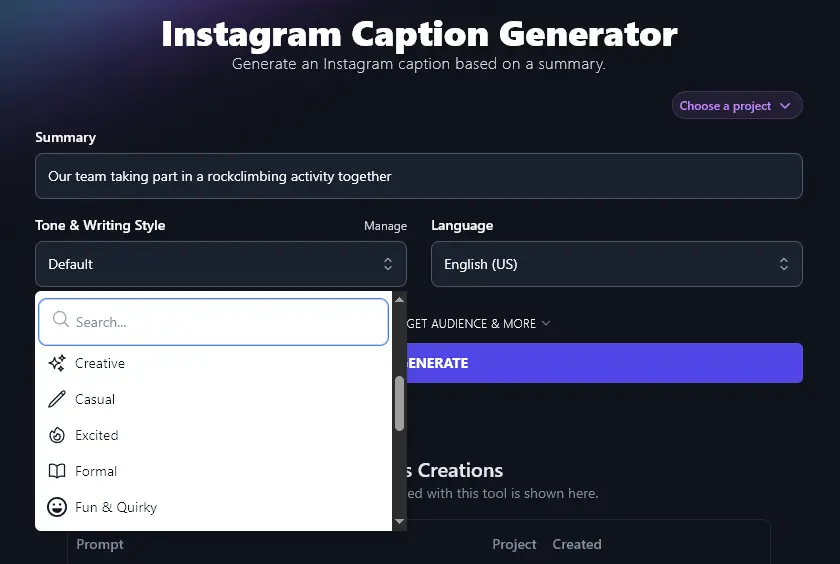
Captions are a great opportunity to infuse your social media posts with your brand voice. While the “Default” style will work fine for most Instagram posts, we recommend trying out other styles to see what’s the best fit for you (and your target audience).
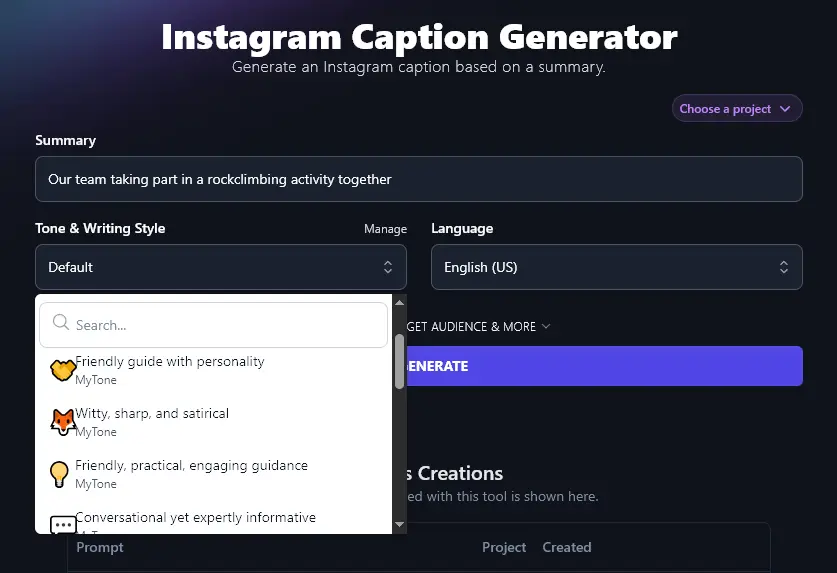
Just click the dropdown list to choose from any of our 16 preset styles.
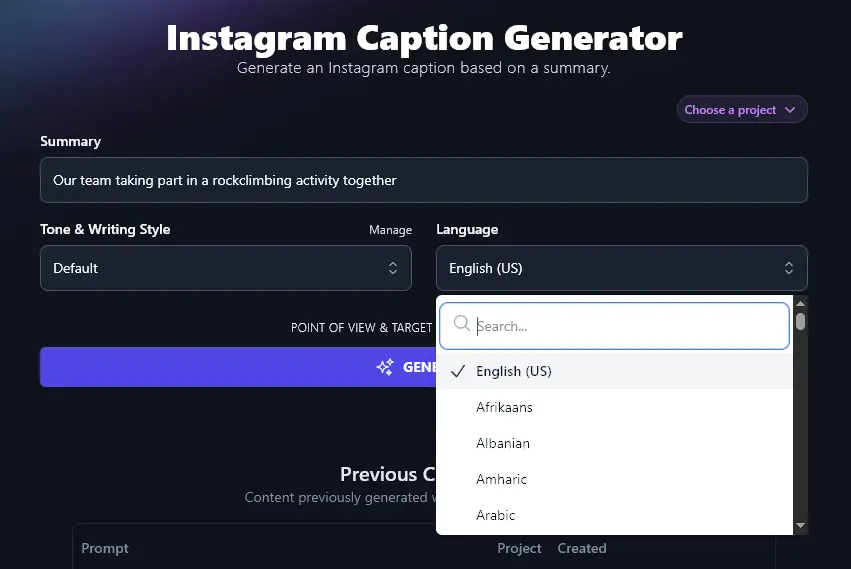
Step 3. Choose Your Preferred Language
RightBlogger’s AI creates captions in US English by default, but you can select any of 100+ languages. This is really useful if your Instagram followers mostly speak a different language from English, or if you want to create multiple captions in a range of languages.
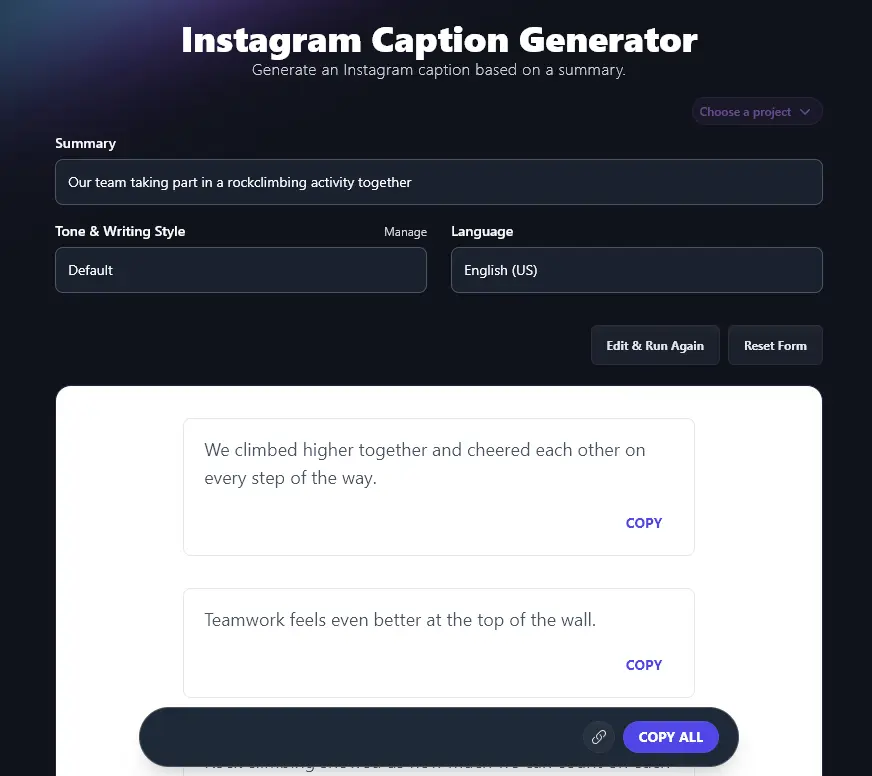
Then, hit the “Generate” button to create a range of different captions. Spot a caption you love? Click the “Copy” link just below it to copy it to your clipboard. Not sure which caption you want? Use the “Copy All” button to copy the full list, then paste it into a document or spreadsheet to look through later.
Bonus: Use My Instagram Posting Checklist Alongside This Free Tool
Whether you’re using AI-powered captions or coming up with your own, this checklist will help you make sure each of your Instagram posts makes a great first impression.
- Make sure you’re using a high-quality image that will display well on desktop and mobile
- Think about the “feel” of your image, are the colors, theme, etc a good fit for your Instagram account as a whole?
- Tag other Instagram users if appropriate, e.g. a group photo
- Include relevant hashtags, though don’t go overboard or it can look spammy (3-5 hashtags is about right)
- Check your caption for any spelling and grammar errors (use the Grammar Fixer to instantly correct these)
- Make sure you’ve tagged the right accounts and spelled names correctly in your caption
- Use line breaks to split longer captions into short paragraphs for easy reading
- Include a call to action (CTA) in your caption, e.g. a link to your blog or email sign up page
How Does the Instagram Caption Writer Work? (Getting the Most from the Free Instagram Caption Generator)
If you want to create the perfect Instagram caption, it helps to know how to get the most from the Instagram Caption Writer. We’re going to take a closer look at every feature, and go through the advanced options, too.
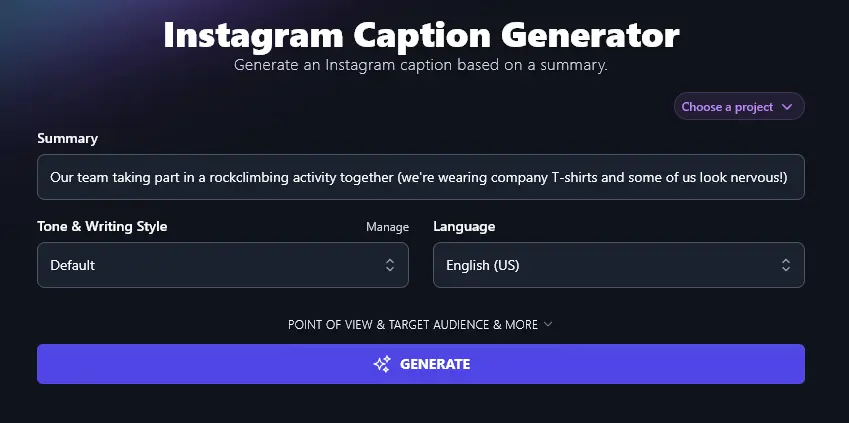
1. Summary (Describe Your Photo or Image)
The Instagram Caption Generator needs a summary of your photo/image so it can write a relevant caption. You can be as detailed as you want in your summary, so feel free to get descriptive!
2. Tone & Writing Style (Choose One … Or Create a Custom Style)
Compelling captions give a sense of you or your company through tone of voice. You can select any of the options from the list to give the AI guidance on how you want your captions written. The Tone & Writing Style can make a big difference.
These captions were all created for the same Summary, with just the “Tone & Writing Style” changed.
Fun & Quirky Style:
- Found new heights with my favorite crew. Turns out, we climb better than we cook.
- Forget boardrooms, today we scaled rocks and our group chat.
- Trust falls are old news. Try trusting Tom with the belay line.
- Teamwork looks a lot like shouting “Left foot up!” and laughing the whole way.
- We crush deadlines and boulders. Sometimes both at once.
- Made it to the top with zero coffee spills. Now that’s progress.
Formal Style:
- Our team climbed new heights together and strengthened our bond on the rocks.
- Working side by side, we reached each summit as one.
- Rock climbing showed us the value of steady support and clear teamwork.
- Every handhold brought us closer together and helped us grow as a group.
- We faced each challenge as a team and celebrated each success together.
- Climbing together reminded us that trust and teamwork lead us to the top.
As well as using the built-in styles, you can also create your own styles using RightBlogger’s MyTone feature. Every plan includes it, and paid plans save 5 (Solo), 15 (Pro), or 50 (Agency) MyTones. Just give the AI a sample of your voice, e.g. paste in previous social media captions you’ve written, link to a blog post, or even enter a video URL.
The AI will automatically detect and save your tone of voice, which you can then select from any text generative RightBlogger tool, helping you create content that has a consistent brand identity.
3. Language (Over 100 Options, Plus 4 Varieties of English)
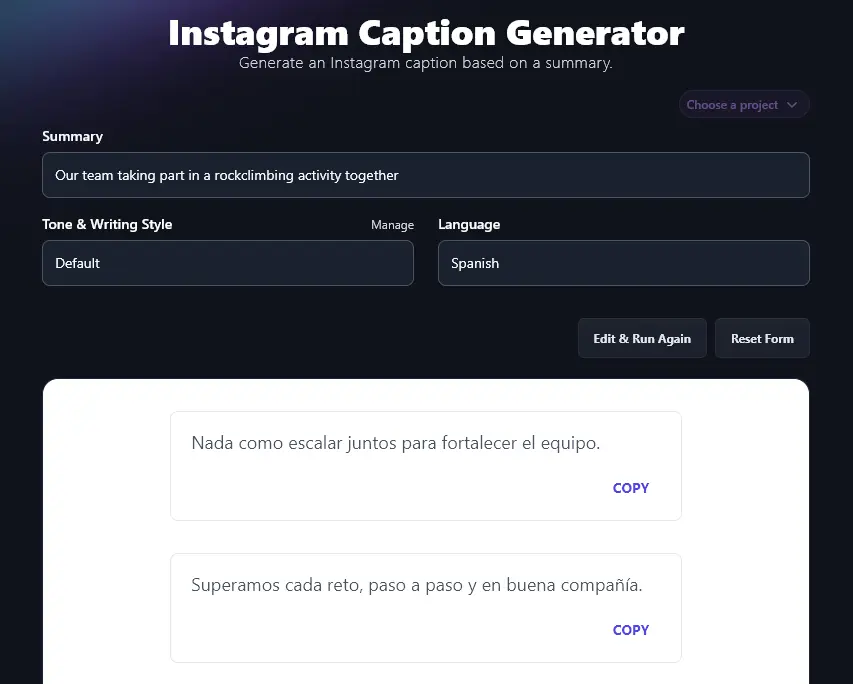
Want to do some caption writing in a different language? Perhaps you need creative captions for a non-English speaking audience, RightBlogger can handle this easily. Here’s the AI writing captions in Spanish:
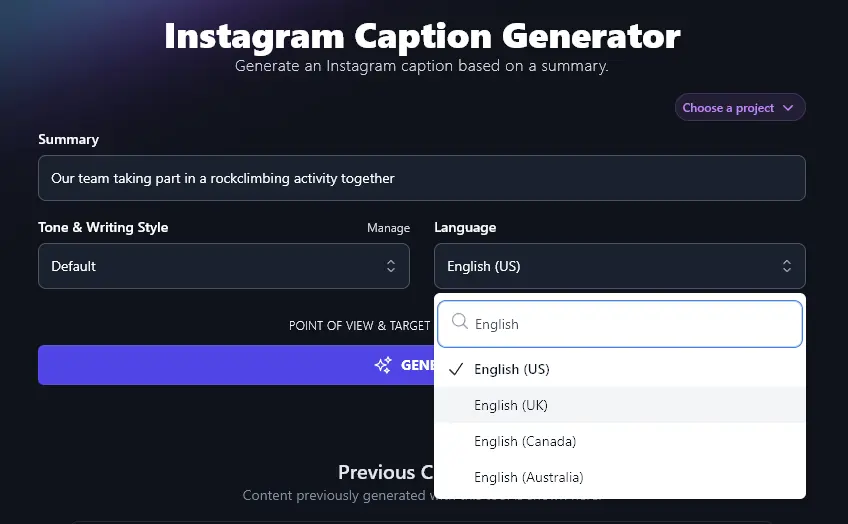
Along with 100+ languages, RightBlogger lets you craft captions in 4 varieties of English. The default is US English, but if you’re in the UK, Canada, or Australia, you can choose your local version of English. That way, all spellings and terms will be correct for your audience.
4. Point of View (I, We, You, or They?)
As well as all the standard options above, the Instagram Caption Writer has a range of advanced features. You can open these up by clicking on the “Point of View & Target Audience & More” link.
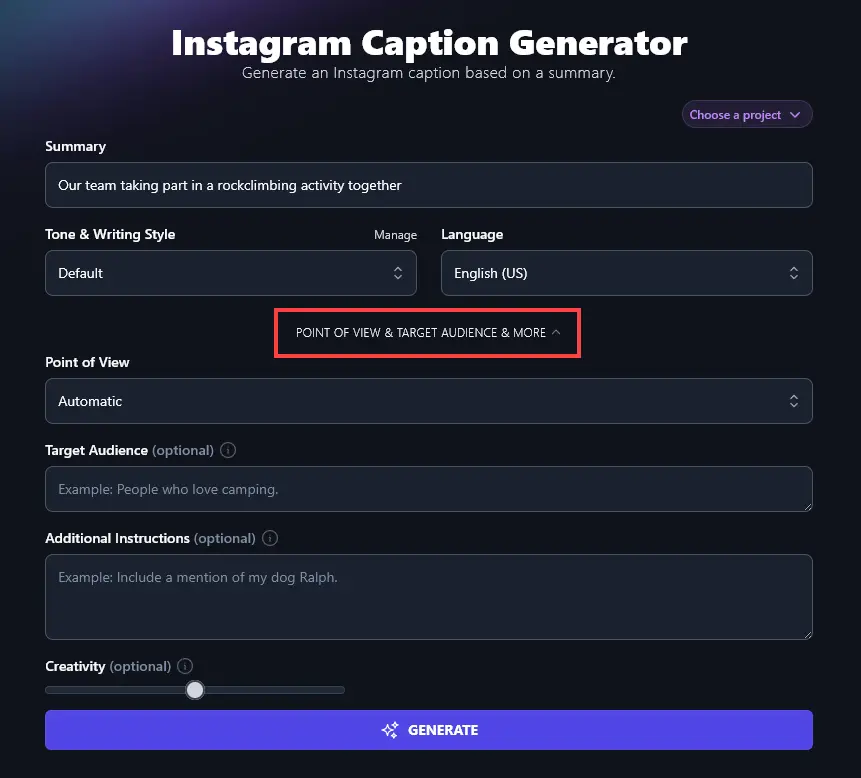
The first option you’ll see here is the “Point of View” dropdown. The caption tool is good at picking an appropriate point of view, but if you want to use a specific option, just select it here.
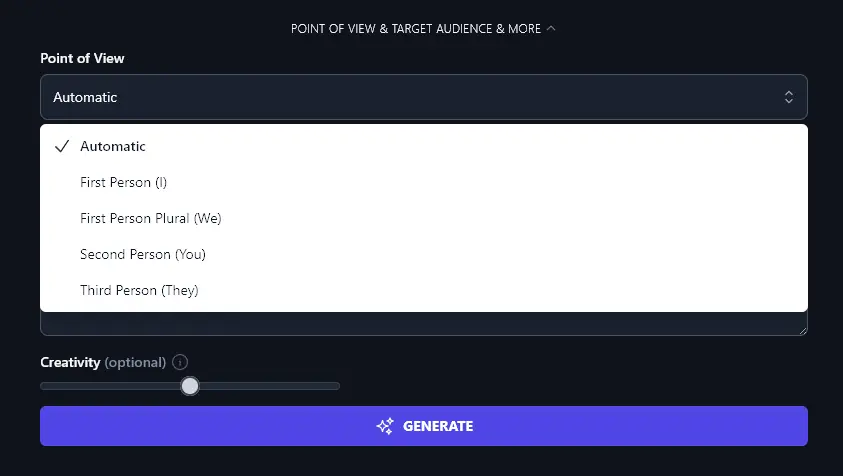
You can choose from:
- First Person (I): good if you’re an influencer or have a strong personal brand
- First Person Plural (We): ideal for partnerships, teams, and companies posting from one group Instagram account
- Second Person (You): a great option for putting the focus on your audience and their wants/needs
- Third Person (They): a more formal, neutral option which may suit some businesses and organizations
5. Target Audience (Who’s Your Ideal Customer?)
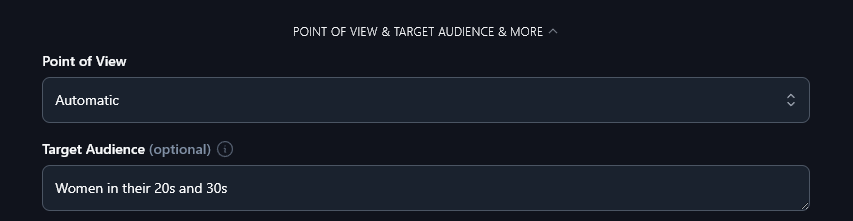
Optionally, you can tell the AI about your target audience, the people you want to attract to your business. Who’s your Instagram account aimed at? What products/services are you offering and who are your ideal customers?
The AI will then take into account your target audience when creating your Instagram caption ideas.
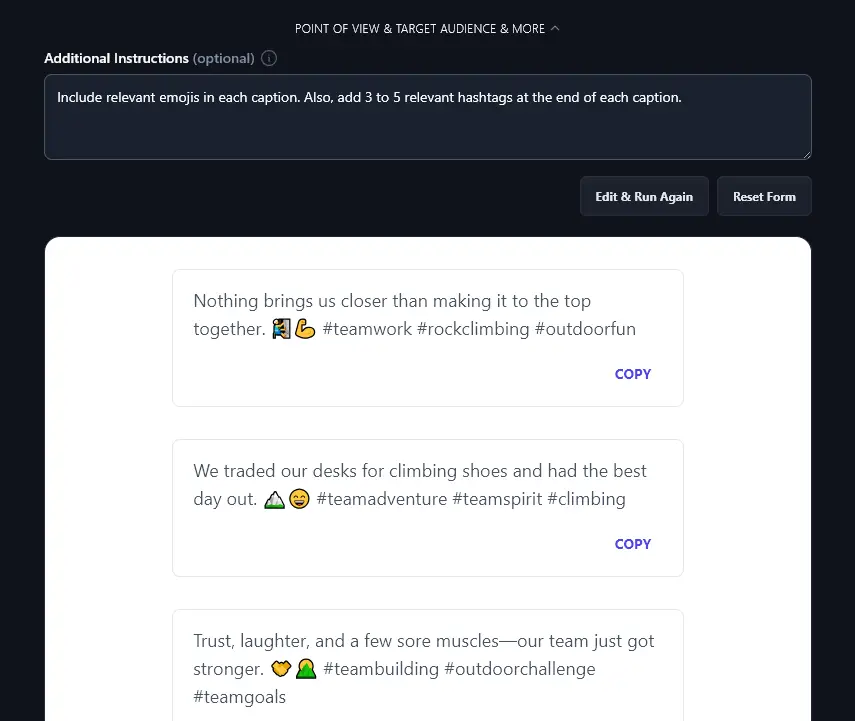
6. Additional Instructions (Give the AI Any Extra Requests)
Perhaps you want all your Instagram captions to include emojis or you’d like to use hashtags that the AI suggests. Maybe you want captions that are longer than the standard ones the AI produces.
Whatever it is you need, just ask! The Additional Instructions box lets you tailor your Instagram captions however you like.
7. Creativity (Make Your Captions More Predictable or More Unusual)
By default, the RightBlogger AI is set to a balanced level of creativity, so your captions won’t be too bland or too weird. If you want to experiment with the creativity level, though, just move the slider: left for less creative (more predictable), right for more creative (more unusual).

Instagram Caption Generator FAQs (Frequently Asked Questions)
If you’ve got any questions about using the Instagram Caption Writer, or about writing social media captions in general, here’s everything you need to know.
What Makes a Good Instagram Post Caption?
Your Instagram post caption shouldn’t be an afterthought: instead, see it as an essential part of your post. A good caption might raise a smile, make your audience think, or give extra context for your photo.
Your caption can also help make your post more visible on Instagram if it includes keywords and hashtags that people are likely to be searching for within the app. Plus, if your post gets lots of “likes” and “shares”, the Instagram algorithm will automatically show it to more people.
Can I Use the Instagram Caption Writer for Other Social Media Platforms?
If you want to craft captions for other platforms, like Facebook, Pinterest, or even TikTok, you can still use the Instagram Caption Writer, but you might also want to try our general-purpose Caption Writer (just pick the “Social” option for your type of caption).
What Other AI Tools Can I Use to Grow My Online Presence?
RightBlogger includes 85+ AI tools, all included in every plan. Monthly plans start at Solo $59 (annual billing, charged monthly, is $49) with a 7-day free trial and a 30-day money-back guarantee. See RightBlogger pricing.
Some great ones to get started with are:
- Article Writer: our flagship AI writing tool, the Article Writer crafts a full-length draft from just a keyword or topic idea, a fast and easy way to beat writer’s block!
- Keyword Research Tool: find the best keywords to use for your website, with monthly volume and difficulty ratings included
- LinkedIn Post Generator: create powerful LinkedIn content, following proven templates and structures for great engagement
- TikTok Idea Generator: come up with great short-form video ideas on any topic (also suitable for Reels, YouTube Shorts, etc)
- YouTube Video to Blog Post Generator: instantly turn any YouTube video into a well-structured blog post
- Shorten Text Tool: create a shorter version of a piece of text, useful if you’ve got a social media caption that’s over the character limit
We’ve also got lots of other content creation tools, plus SEO tools, sales tools, productivity tools, and more.
Who Is the Instagram Caption Writer For?
The Instagram Caption Writer is suitable for total beginners. If you’ve got an Instagram account, it’s for you!
It’s also a great option for freelancers and agencies. If you’re in social media management or social media marketing, the Instagram Caption Writer could save you a ton of time! Ideally, pick a RightBlogger plan with multiple sites (Pro includes 3, Agency 10) so you can set up a separate Project and MyTone for each of your clients. That way, you can quickly craft captions that are perfectly tailored to them.
How Do I Sign Up for RightBlogger and How Much Does it Cost?
It’s completely free to use the Instagram Caption Writer (and our other AI tools) with a RightBlogger account. Every paid plan includes unlimited words.
For full, unlimited access to all our tools, along with advanced features like MyTone, Knowledge, Projects, and Chat, pick one of RightBlogger’s paid plans. These start at monthly Solo $59, Pro $89, or Agency $299 (annual billing, charged monthly, is $49 / $69 / $199).