
SEO Meta Title Generator
Suggest an SEO friendly meta title based on a phrase or keyword.
Your meta title is the single biggest on-page factor for whether someone clicks your post in Google. RightBlogger’s free AI Meta Title Generator writes 10 SEO-optimized title tags from any post title, keyword, or published article URL in seconds, sized for Google (50-60 characters) and built around the patterns that actually drive click-through.
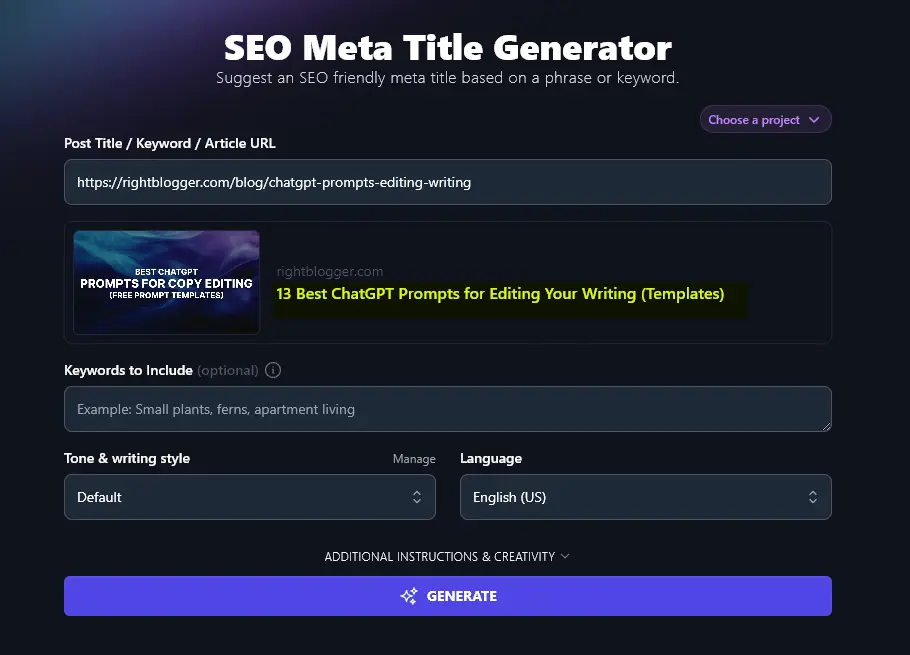
A meta title (sometimes called an SEO title, SEO meta title, or meta title tag) is the title of your post or webpage that shows up in Google’s search results. We’ve highlighted the SEO title below:
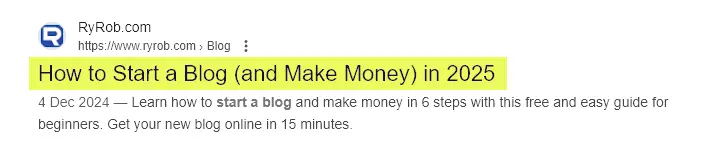
Why it matters: your title tells Google (and readers) what your post is about. A strong meta title earns more clicks, and a higher click-through rate can also lift your ranking.
Tip:Your meta title doesn’t have to be the same as the title on the page itself (your H1 heading). It makes sense for them to be very similar, but you may want to use a slightly longer title within the text of your post or page.
How to Use the AI Meta Title Generator
Four quick steps:
Step 1. Enter Your Post Title, Keyword, or Published Article URL
Type in your post’s working title or (if you don’t yet have a title) the primary keyword you’re optimizing for.
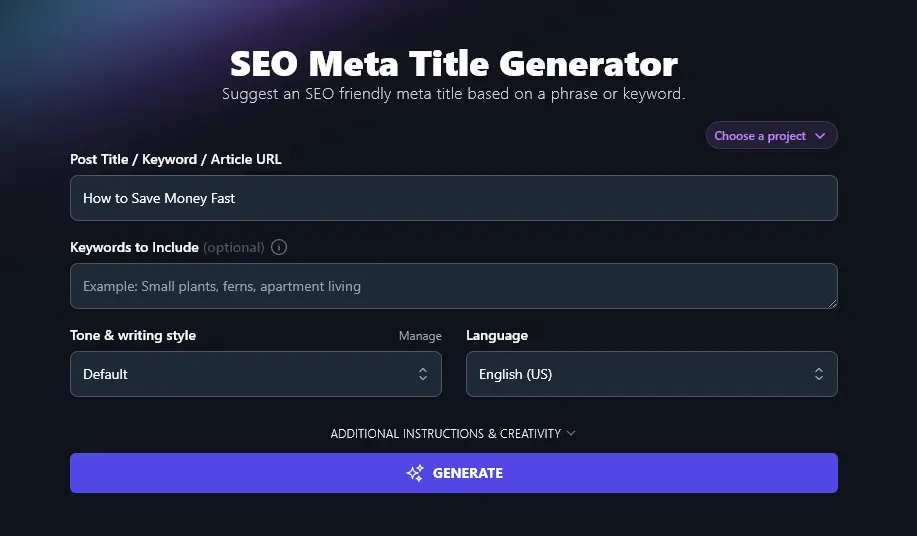
Ideally, you’ll be using the meta title generator to come up with titles for posts you haven’t yet published. But it’s also fine to use it to improve and update the meta titles for your existing content. If that’s the case, just pop the URL of the published post in this box.
Step 2. Add Your Primary Keyword
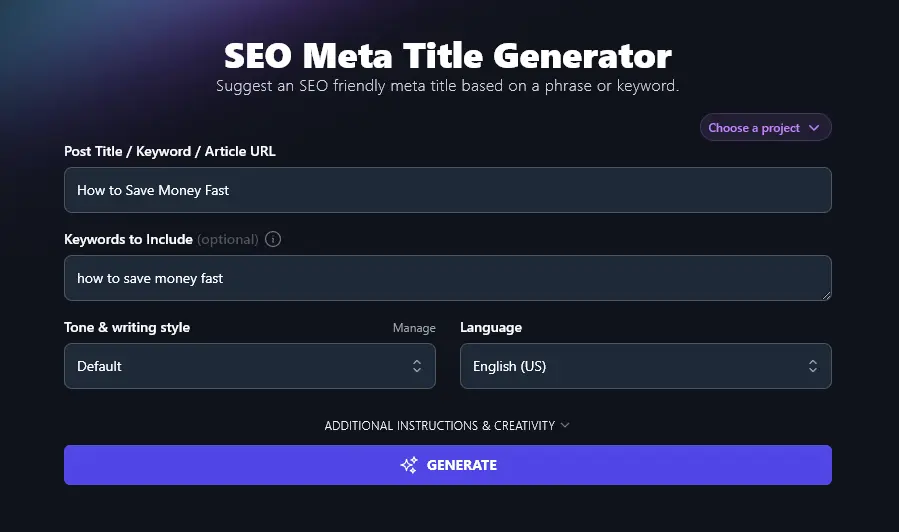
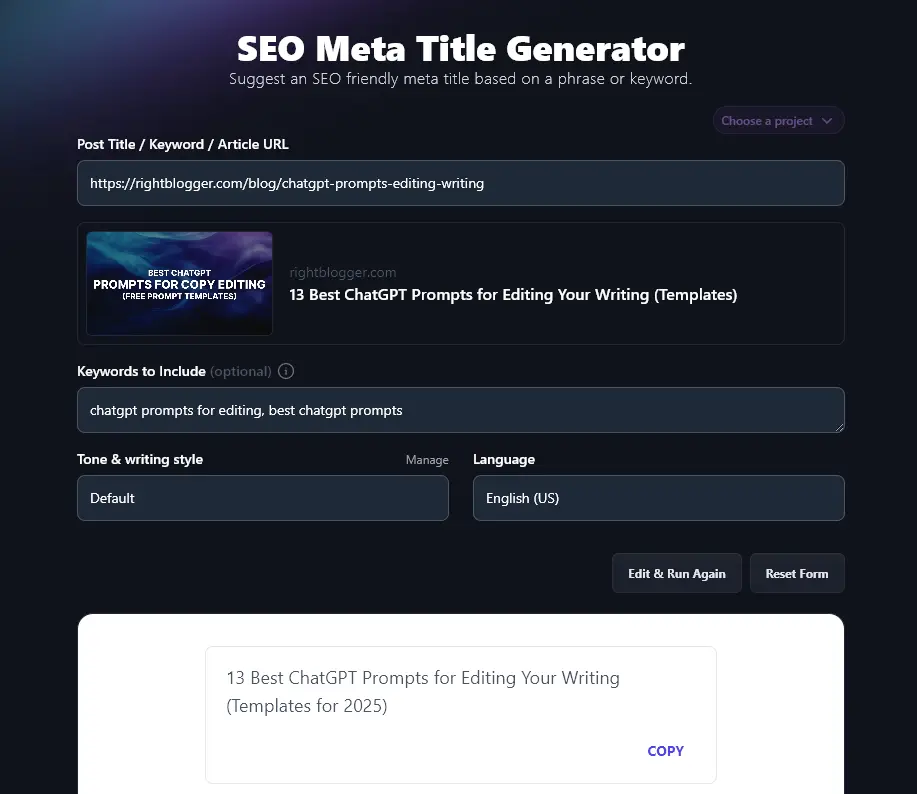
Your primary keyword should be in your meta title, ideally at the start. Add it in the “Keywords to Include” box so the AI guarantees inclusion, even if you already entered the same keyword in the Post Title / Keyword field.
Step 3. Choose Your Tone & Writing Style
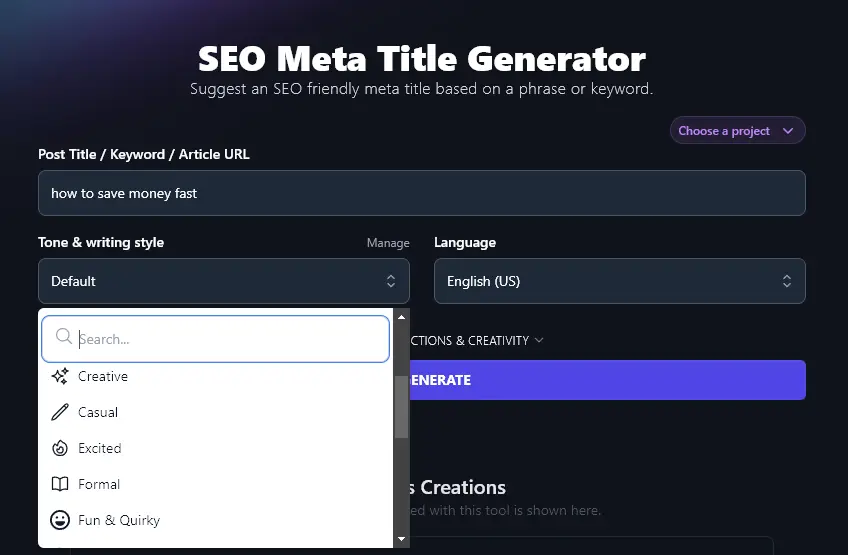
Like all RightBlogger’s generative AI tools, the SEO meta title generator lets you choose your “Tone & writing style”. This subtly adjusts your meta title to suit your brand, while keeping it well-optimized for search engines and click-throughs.
The dropdown lets you choose from 16+ pre-set writing styles, like “Casual”, “Professional”, “Irreverent”, and “Persuasive”.
Step 4. Select the Language for Your Meta Title
Most RightBlogger users are creating content in English (US), so that’s what the Language dropdown defaults to. But RightBlogger’s AI can give you content (including meta titles) in 100+ different languages.
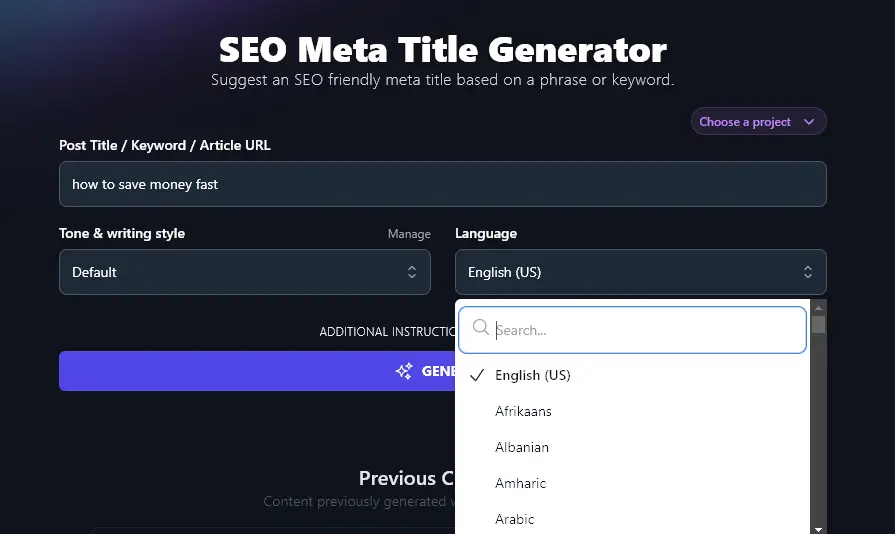
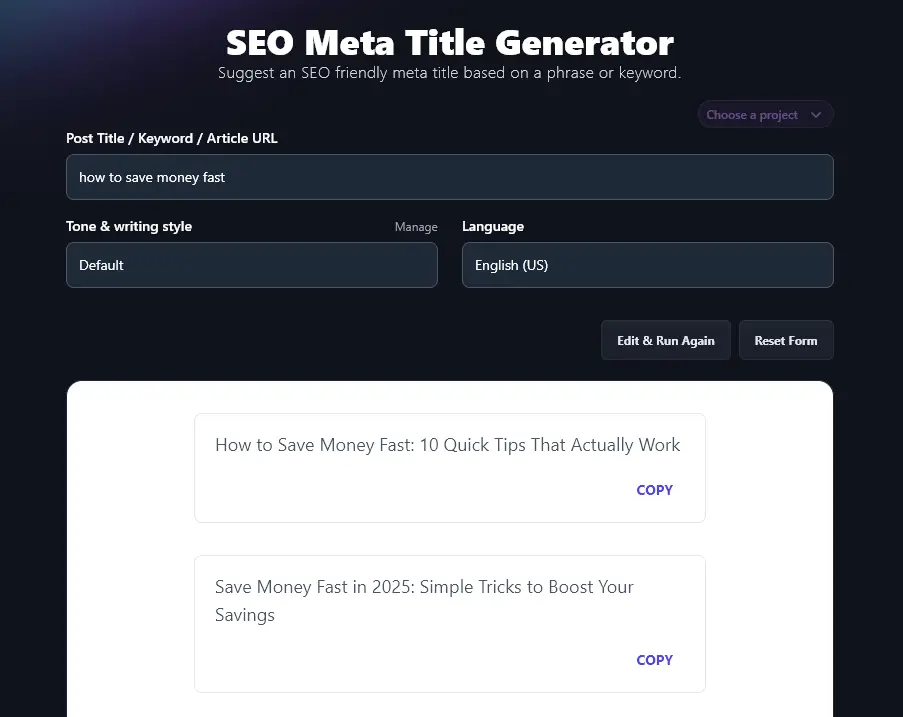
Once you’re happy with the options you’ve selected, go ahead and generate your list of meta titles. The AI will give you 10 high-quality titles to choose from:
Bonus: A Free SEO Checklist
Want to get the maximum SEO benefits from every piece of content? Using optimized titles is a brilliant start, but it’s just one piece of the puzzle.
This is a quick SEO checklist for every post or page I publish:
- Use a solid WordPress SEO plugin, we like Yoast SEO and RankMath
- Make sure you’ve got a suitable keyword for your post that’s a good fit for your target audience
- Use keywords in your subheadings to help Google come up with rich snippets and index your content faster
- Stick to just one H1 header (that’s your post or page title at the top of the page)
- Follow proper header hierarchy in your subheadings, using H2 subsections then H3 sub-subsections
- Include your primary keyword naturally throughout your post, don’t keyword-stuff
- Have a good balance of internal links (to your site) and external links (to other sites), including at least 3-5 external links
- Make sure your meta description includes your primary keyword and that it engages readers
- Add alt descriptions to all your images, with keywords in these wherever appropriate
- Make sure your post is 1,500+ words for the best chance of ranking well in Google
- Set an SEO meta title with your keyword in it, see our guide on how to write a meta title for the patterns that actually rank
- Aim to use your primary keyword in your blog post’s URL (the permalink)
Each Feature, Explained (Plus Advanced Options)
The advanced fields let you steer the AI more precisely:
1. Post Title / Keyword / Article URL (Use This Tool for New and Published Posts)
The meta title tool can be used at any stage of your blog post creation process. For instance:
- If you’ve done your keyword research but don’t yet have a title or outline, use the meta title tool with your keyword. You can then pick one of the meta titles to outline.
- If you’ve already got a working title and an outline (or even a draft post), enter your working title. The meta title tool can then make it even more powerful.
- If you’ve already published your post without a meta title, just pop the URL in here. The tool can read your article and come up with a suitable meta title.
Tip:When you enter the URL of your post, you’ll see the existing meta title, which we’ve highlighted here:
2. Keywords to Include (Really Important for SEO)
Although you can put a keyword in the “Post Title / Keyword / Article URL” box, the AI won’t necessarily know whether what you’ve entered here is intended to be a title or a keyword. And if you’ve put in a URL, the keywords may not be obvious at all, especially if your title needs some solid work!
That’s why there’s also a “Keywords to Include” field. Here, you can enter your primary keyword, plus any secondary keywords. Just separate them with commas.
Note: If you have more than one keyword here, the AI may not be able to incorporate all of them into each title option.
3. Tone & Writing Style (Add Voice to Your Meta Title)
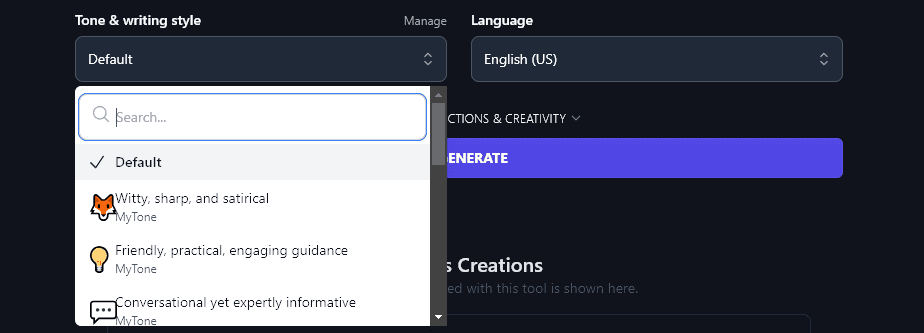
The “Tone & Writing Style” dropdown lets you choose a specific style to use in the generated meta titles. While many bloggers find the “Default” style works just fine for their content, you may want to experiment with different options to see which (a) sound most like you and (b) are most likely to appeal to your audience.
Want to go further with tones? On any RightBlogger plan, you can set up your own tones & styles using the MyTone feature. Paid plans save 5 (Solo), 15 (Pro), or 50 (Agency) custom tones based on writing samples.
You can then select any of your custom tones from the dropdown. They’ll appear at the top of the list:
4. Language (Choose from Over 100 Languages)
RightBlogger can produce meta titles (and all kinds of other content) in more than 100 different languages.
This includes 4 different varieties of English. The default is English (US), but you can also use British, Canadian, or Australian English.
Whether you’re writing for a primarily non-US audience or you’ve got a multilingual website, the language dropdown lets you create the compelling titles you need.
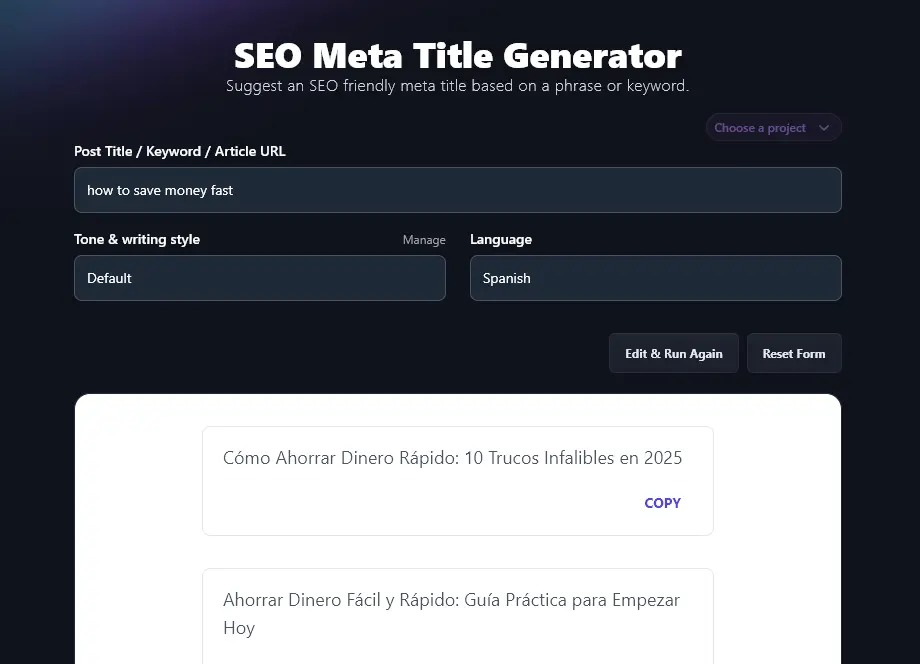
The AI writing meta titles in Spanish:
5. Additional Instructions (Add More Details or Constraints for the AI)
The meta title tool stays streamlined by default. But if you need the AI to do something specific, this is where to tell it.
Just click on the “Additional Instructions & Creativity” link to open up the Additional Instructions box. Here, you can give the AI any extra details, requests, or constraints you want. Just add these in normal, human language.
For instance, we asked the AI to “Include a number in every title option that you come up with.”
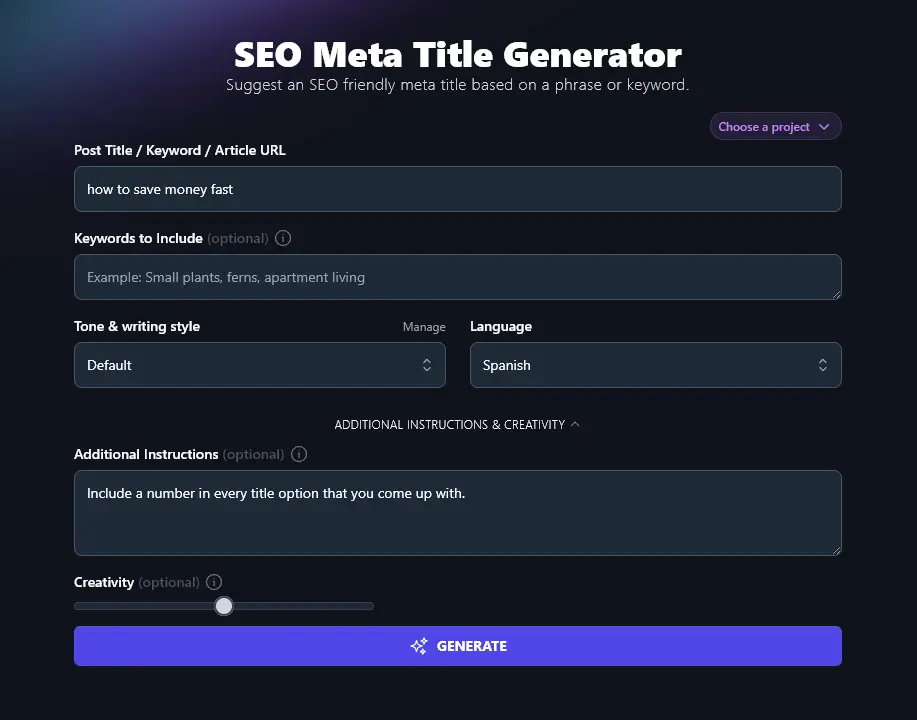
The titles it returned:
- 15 Simple Tips on How to Save Money Fast in 2026
- Save $1,000 in 30 Days: How to Save Money Fast
- How to Save Money Fast: 10 Proven Ways You’ll Love
- 25 Quick Tricks to Save Money Fast Starting Today
- How to Save Money Fast in 2026 Without Stress
- Want to Save Money Fast? Try These 8 Strategies
- How to Save Money Fast: 5 Steps That Actually Work
- 12 Genius Ways to Save Money Fast Before Payday
- Learn How to Save Money Fast: 7 Tips for 2026
- How to Save Money Fast: 20 Practical Hacks That Work
6. Creativity (How Standard or Unusual Should Your Meta Title Be?)
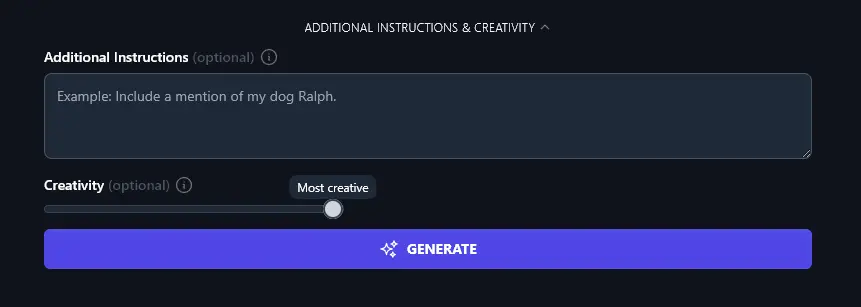
The RightBlogger AI aims for a balanced level of creativity. This means your meta titles shouldn’t be too “out there” but also shouldn’t be boring and highly predictable.
If you feel your titles aren’t landing quite right, though, feel free to adjust the Creativity slider. “Less creative” will give you titles that are more predictable and expected. “More creative” will produce titles that are more unusual and unexpected.
AI Meta Title Generator FAQs
How Do I Write an SEO-Friendly Meta Title? (With Examples)
An SEO-friendly meta title needs to:
- Include your primary keyword, ideally at the start of the title
- Be the right length (no more than 70 characters max; ideally 50-60 characters)
- Engage readers so they’re likely to click through
Writing a good SEO meta title can feel daunting. Many bloggers find it helpful to generate a few different options and pick the strongest one. Strong, specific titles also help you earn featured snippets, see our guide on how to get a Google featured snippet.
You can also use a title template. One that works for a lot of topics:
[Keyword]: X [Adjective] Ways to [Do Something]
This could become:
- How to Save Money Fast: 8 Sure-Fire Ways to Put Away $100/Month
- Healthy Meal Planning: 7 Easy Ways to Plan & Cook Healthy Meals
- Make Money Online: 10 Fast Ways to Monetize Your Blog
You can take any title you find online and break it down into a template. For instance, we published Can AI Write Books? 4 Things to Know About AI, Books & Novels.
This type of meta title could work for any question-based keyword:
[Keyword]? X Things to Know About [Topic(s)]
What’s a Meta Title vs Meta Description?
A meta title is the SEO title that appears in Google’s search results. A meta description is the text that appears immediately below the title, like this:
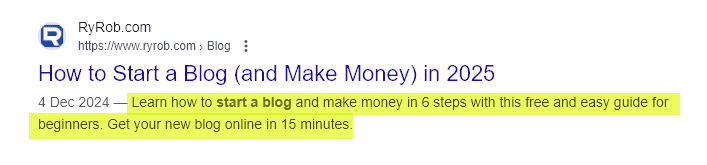
Meta descriptions aren’t quite as strong a ranking factor as meta titles, but they still matter for both ranking and click-through. Our meta description generator writes them instantly.
Tip: As your meta description is longer than your meta title, you may be able to include more target keywords. Remember to make it attention-grabbing, too.
What Other AI Tools Can I Use to Improve my SEO?
We have loads of tools in RightBlogger to help you create SEO-optimized content and improve your search engine visibility. Take a look at these SEO tools:
- Keyword Research Tool: Come up with relevant keywords for any post or page content.
- SEO Keyword Cluster Generator: Create a cluster of related keywords so you can build out content to improve your website’s ranking.
- Content Gap Analysis Tool: Compare a piece of your content with a competitor’s piece ranking high in search engine results pages (SERPs), and find out exactly how to improve.
- Image Caption Generator: Quickly create AI-generated alt text for your images.
- Google Preview Tool: See how your meta tags (title and description) will appear in Google’s search results.
We also have lots of AI content creation tools that are built with SEO in mind, like our Article Writer, as well as social media tools like our YouTube Video to Blog Post Generator (conversions between video and written format).
Who is the Meta Title Tool Designed For?
We created the meta title tool with multiple use cases in mind. It’s for bloggers, content creators, content marketers, SEO professionals, small business owners, and anyone else who needs effective meta titles for their blog posts, product pages, or other website content.
If you want to practice copywriting, you could also use the generated titles as examples or models for your own meta titles.
How Do I Sign Up for RightBlogger and How Much Does it Cost?
The SEO title generator is included in every RightBlogger plan, starting at monthly Solo $59 (annual billing, charged monthly, is $49).
If you want to create a lot of meta titles (or other content), you may find that a paid plan is a better fit for you. Every paid plan gives you full access to every single tool, along with our advanced features like Chat, MyTone, Projects, and the Knowledge Library.
Monthly plans are Solo $59, Pro $89 (most popular), and Agency $299 (annual billing, charged monthly, is $49 / $69 / $199). Every paid plan includes unlimited words and a 7-day free trial and a 30-day money-back guarantee. See RightBlogger pricing.