What is a Noindex Tag? Definition and How to Use It
Use it for utility pages, but keep them crawlable so search engines can read the directive and remove them from results.
A noindex tag tells supported search engines not to show a page in search results. The crawler must be allowed to access the page before it can see and process the directive.
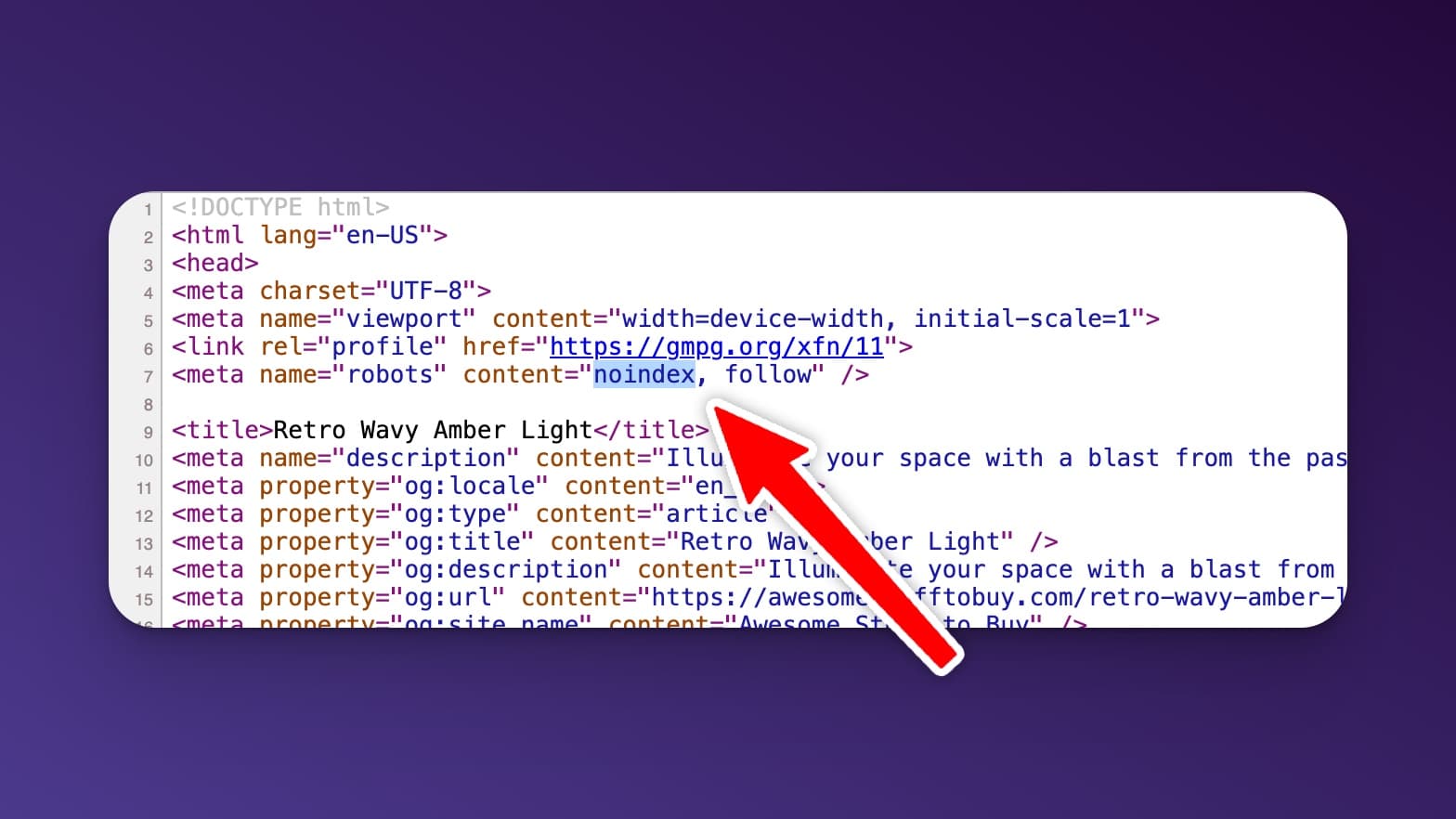
Understanding the Noindex Tag
A noindex tag is a value in a robots meta tag that tells search engines not to include a page in their index. The page can still be crawled, linked to, and visited directly. It is an indexing control, not a privacy or security feature.
When to Use a Noindex Tag
You’d use a noindex tag when you have pages that serve a purpose but shouldn’t show up in search results. Common examples:
- Thank you / confirmation pages after a form submission
- Utility or duplicate pages with no search value, after checking whether a canonical tag would be a better fit
- Public test pages that are not meant for search. Password-protect private staging sites instead.
- Internal search results pages that add no SEO value
- Login or admin pages with no reason to appear in search
How to Add a Noindex Tag
If you are editing HTML directly, add this tag inside the <head> section of the page:
<meta name="robots" content="noindex">Only add nofollow when you also want to qualify every link on the page. It is not required for noindex to work. For non-HTML files such as PDFs, send an X-Robots-Tag: noindex HTTP response header instead. After making the change, use Google Search Console to test the live URL and confirm Google can see the directive.
If you’re on WordPress, you don’t need to touch code. Most SEO plugins handle this with a toggle:
- Yoast SEO: Edit the post → scroll to Yoast → Advanced tab → set “Allow search engines to show this content in search results?” to No.
- Rank Math: Edit the post → Rank Math panel → Advanced tab → Robots Meta → check “No Index”.
Best Practices for Using Noindex Tags
Use noindex tags strategically. Google treats noindex as a rule once it can crawl and process the page. Other crawlers may behave differently, which is another reason not to use the tag to protect confidential content.
One common mistake to avoid: do not also block a noindexed page in your robots.txt file. If search engines cannot crawl the page, they never see the noindex tag, so it can stay in the index. Leave the page crawlable so the directive can actually be read.
When Not to Use a Noindex Tag
Do not noindex your homepage, key landing pages, or blog posts when you want them to appear in search. Use the directive intentionally, and confirm the result in Search Console after Google recrawls the page.
If you’re not sure whether a page is indexed, check it in Google Search Console or use RightBlogger’s Chrome Extension to inspect the page’s meta tags with one click. For more on how indexing works, see our guide on submitting URLs to Google.
Automated SEO Blog Posts for Your Site
Research, write, publish, and share from one account.
7-day free trial. Cancel anytime.




